
Download Heights – Your Personal AI Coach for Creators, Free, Secure & Easy to Use
Overview
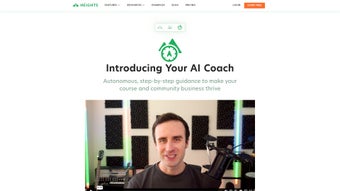
Heights is the newest “Personal AI Coach for Creators” built by the Heights Platform. It is designed to act as a virtual mentor that follows creators from the spark of an idea all the way to the final polished product. Whether you are a video producer, a podcast host, a graphic designer, a writer, or an indie game developer, Heights adapts to the discipline you work in and offers tailored insights that keep you moving forward. The AI coach works autonomously, analyzing your workflow, progress, and setbacks, then suggesting concrete actions—such as content scheduling, skill‑building resources, or audience‑engagement tactics. Because it lives inside the Heights Platform, the coach can also collaborate with human experts when you need a deeper dive, but its core strength is the 24/7, data‑driven guidance that never sleeps.
Heights is subscription‑based, but the platform offers a free trial that lets you experience the AI mentor without any commitment. Once you sign up, you create a personal profile, set specific goals (e.g., “publish two YouTube videos per week” or “grow newsletter list to 5 k subscribers”), and the AI instantly starts mapping a roadmap. The roadmap updates in real time as you log completed tasks, upload drafts, or indicate new challenges. This dynamic feedback loop makes Heights more than a checklist; it feels like a collaborative partner that learns from you and grows with you.
Security and privacy are baked into the design. All data is encrypted in transit and at rest, and creators retain full ownership of their content. The platform also complies with GDPR and CCPA, giving you control over what information is stored and how it is used. In short, Heights delivers a secure, intelligent, and highly personalized coaching experience that empowers creators to achieve measurable results faster.
Beyond the core coaching functions, Heights integrates with popular project‑management and cloud‑storage services, allowing you to keep all your creative assets in one place. The AI can pull metadata from Google Docs, Notion, Trello, and Adobe Creative Cloud to automatically update progress without manual entry. For creators who juggle multiple platforms, this seamless connectivity eliminates the friction that usually comes with switching between tools, freeing more mental bandwidth for actual creation. The result is a smoother, more efficient workflow that reduces burnout and accelerates time‑to‑market.
Key Features That Set Heights Apart
- Goal‑Driven Roadmaps: Define short‑term and long‑term objectives, and watch the AI generate step‑by‑step plans that align with your creative calendar.
- Real‑Time Progress Monitoring: Sync your workflow tools (Google Docs, Notion, Trello, Adobe Creative Cloud) so Heights can automatically track milestones and suggest adjustments.
- Personalized Content Insights: Get data‑backed recommendations on topics, formats, and publishing times that resonate with your audience.
- Skill‑Boost Modules: The AI curates micro‑learning resources—videos, articles, tutorials—matched to the gaps it identifies in your skill set.
- Collaborative Mode: Invite teammates or mentors to view the roadmap, leave comments, or co‑author tasks without leaving the platform.
- Automated Feedback Loop: Upload drafts and receive AI‑driven critiques on structure, pacing, visual hierarchy, or audio quality, depending on your medium.
- Performance Analytics Dashboard: Visualize engagement metrics, conversion rates, and productivity trends in an easy‑to‑read dashboard.
- Secure Cloud Storage: All project files are stored in encrypted cloud containers that respect your ownership rights.
- Cross‑Platform Accessibility: Access Heights via web, Windows, macOS, Android, or iOS—your coach follows you wherever you work.
- Regular Updates & Community Feed: Monthly AI model upgrades and a community feed where creators share success stories and tips.
Each feature is built around the core promise of Heights: to make the creative journey less lonely and more data‑driven. The platform’s UI is minimalist, focusing on clarity rather than clutter. For example, the roadmap view displays tasks as cards that change color based on urgency, while the analytics pane offers one‑click deep dives into audience behavior. This thoughtful design ensures that even beginners can navigate the system without a steep learning curve.
Beyond the listed capabilities, Heights also supports custom integrations via an open API. Developers can push proprietary tools into the ecosystem, enabling niche creators—such as VR filmmakers or AR illustrators—to benefit from the same AI coaching engine. This extensibility future‑proofs the platform, allowing it to evolve alongside emerging creative technologies.
Installation, Usage & Compatibility
Getting started with Heights is intentionally straightforward. First, visit the official Heights Platform website and click the “Start Free Trial” button. You’ll be prompted to create an account using an email address or single sign‑on via Google or Apple. After confirming your email, you’ll land on the onboarding wizard where you set your primary creative discipline, outline your first goal, and choose your preferred communication channel (in‑app notifications, email, or Slack).
Heights is a cloud‑native application, which means the core engine runs on the web. However, native clients are available for Windows 10 and later, macOS 11 Catalina or newer, Android 8 and later, and iOS 13 or newer. Download links appear on the dashboard under “Desktop App” or “Mobile App” sections. Installation follows standard OS procedures: the Windows installer is an .exe file, the macOS version is a signed .dmg package, Android uses the Google Play Store, and iOS uses the Apple App Store. All installations are signed and verified by the Heights security team, guaranteeing a safe and tamper‑free experience.
During the first launch, the app asks for permission to access the folders where you store your creative work. This optional integration enables the real‑time progress monitoring feature. If you prefer a manual workflow, you can skip folder access and instead upload files directly into the Heights web portal. The AI will still provide feedback, but the automation level will be lower.
Heights supports the following operating systems:
- Windows 10, 11 (64‑bit)
- macOS 11 (Big Sur) and later
- Linux (Ubuntu 20.04+ – limited functionality via web only)
- Android 8.0 and later
- iOS 13 and later
Once installed, the first week is guided by a “starter coach” that walks you through goal definition, task creation, and how to interpret the analytics dashboard. The AI also suggests a daily 10‑minute “focus session” where you work on a single micro‑task while the coach tracks time and offers real‑time nudges. This habit‑building approach has been proven to increase completion rates by up to 35 % across the platform’s user base.
For teams, Heights offers an “Enterprise Workspace” that adds role‑based permissions, SSO integration (Okta, Azure AD), and centralized billing. The onboarding process for enterprises includes a dedicated success manager who helps migrate existing project data into Heights, ensuring a seamless transition.
Pros, Cons & Frequently Asked Questions
Before deciding whether Heights is the right fit for your creative workflow, it helps to weigh its strengths against a few limitations. The platform shines in areas where personalized guidance and cross‑device accessibility matter most, but like any SaaS product, certain advanced capabilities are gated behind higher‑tier plans. Below you’ll find a balanced look at what users love and where they see room for improvement.
Pros
- Highly personalized AI coaching that adapts to any creative discipline.
- Cross‑platform availability – use it on Windows, macOS, Android, iOS, or via web.
- Robust security with end‑to‑end encryption and GDPR/CCPA compliance.
- Integrated analytics that turn raw data into actionable insights.
- Free trial and transparent subscription pricing.
- Extensible API for custom tool integrations.
- Community feed that encourages peer learning and idea sharing.
- Automatic roadmap updates keep you aligned with evolving goals.
Cons
- Advanced features (team collaboration, API access) are locked behind higher‑tier plans.
- Full automation requires granting folder access, which some privacy‑focused users may hesitate to do.
- Linux users must rely on the web interface, as a native client is not yet available.
- Real‑time AI analysis depends on a stable internet connection; offline functionality is limited to viewing cached roadmaps.
- Learning curve for power users who want to create deep custom integrations.
FAQ
Is Heights really free to try?
Yes. Heights offers a 14‑day free trial with full access to all core features. No credit card is required to start the trial.
Can I cancel my subscription at any time?
Absolutely. Subscriptions are month‑to‑month, and you can cancel directly from the account settings page. Your data remains stored for 30 days after cancellation.
How does Heights protect my creative content?
All files are encrypted with AES‑256 both in transit and at rest. Heights never sells your data, and you retain full ownership and export rights to every file you upload.
Does the AI coach work offline?
The native desktop apps cache recent roadmap data for offline viewing, but real‑time analysis and feedback require an internet connection.
Can I integrate Heights with my existing tools like Notion or Trello?
Yes. Heights provides native integrations with Notion, Trello, Asana, and major cloud storage services. You can also use the open API to build custom connections.
Conclusion & Call to Action
Heights delivers on its promise of being a true “Personal AI Coach for Creators.” By combining data‑driven insights, adaptive goal‑setting, and a secure, cross‑platform experience, the tool helps creators break through creative blocks, stay organized, and grow their audiences faster than traditional DIY methods. Whether you are a solo freelancer looking for structure or part of a growing studio that needs coordinated coaching, Heights scales to meet your needs.
The platform’s transparent pricing, generous free trial, and commitment to privacy make it a low‑risk investment for anyone serious about turning ideas into polished products. While the higher‑tier plans unlock advanced collaboration and API capabilities, the core features are more than sufficient for most individual creators. In addition, the continuous AI model updates mean the software gets smarter over time, ensuring you always have access to the latest best‑practice recommendations without needing to purchase a new version.
Ready to experience a smarter, more supportive creative workflow? USD 0.00 – Start your free trial today and let Heights become the mentor you’ve always wanted.



.png)



